Before you start
Create a Vercel account at vercel.com if you don't have one, then connect it to your GitHub repository through the dashboard. Vercel will attempt to auto-detect your framework on import, it won't recognise a bare Express app, so it'll fall back to a generic Node build. Ignore that for now. We'll override it with a config file instead.
File structure
My app sits inside src/, with the entry point at src/index.ts. Routes, controllers, middleware, models, all in subdirectories under src/. The two files Vercel actually cares about are your entry point and a vercel.json at the project root.
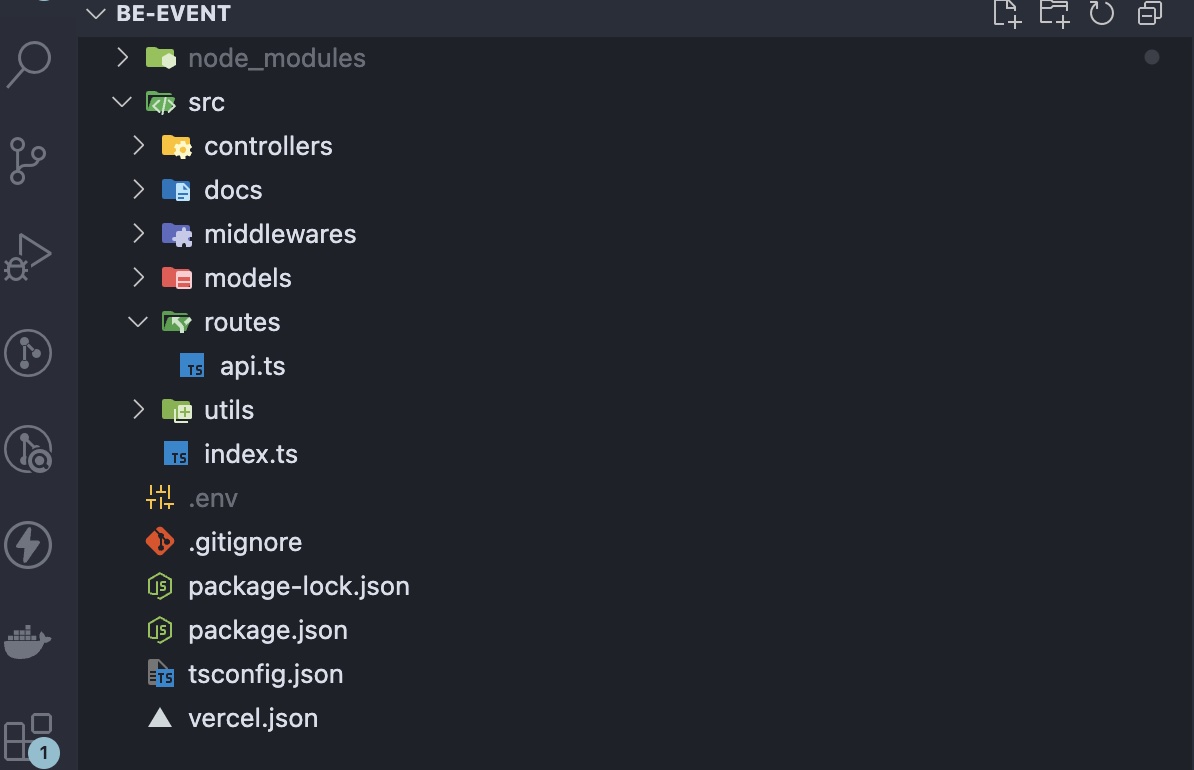
The vercel.json
Create a vercel.json at the root of your project. This is the only new file you need:
vercel.json{
  "version": 2,
  "builds": [
    {
      "src": "src/index.ts",
      "use": "@vercel/node",
      "config": { "includeFiles": ["src/**"] }
    }
  ],
  "routes": [
    {
      "src": "/(.*)",
      "dest": "src/index.ts"
    }
  ]
}
The builds entry points Vercel at your entry file and uses @vercel/node to treat it as a serverless function. The includeFiles glob bundles the rest of src/. Without it, your routes and models won't be available at runtime because Vercel only ships the entry file by default. The routes entry catches every incoming request and forwards it to that entry point.
Environment variables
Don't commit your .env. Instead, add each variable through the Vercel dashboard under Project Settings → Environment Variables. They'll be injected at build time and available to your app at runtime without any extra code.
Push to the connected branch and Vercel builds and deploys automatically. There's one trade-off to be aware of: serverless functions have cold starts. The first request after your function sits idle will be slower than the ones that follow. For internal tools and low-traffic APIs, this doesn't really matter. On the free tier especially, it's a reasonable cost for not having to manage a server yourself.